
Do you want to be kept up-to-date on a topic? Would you like to see a table of contents when a new issue of a particular journal or magazine comes out?
You can set up alerts from our databases provided by EBSCO!
This is an example of how to set up an alert for new issues of Harvard Health Letter.

Choose the Health Source: Consumer Edition database from our Health Resources page.

Login with your library barcode number.

Click MyEBSCO in the top right corner, then create an account with your email address.

Click on Advanced Search

Select Publications. Type in a magazine name, then click the check box to select it.

Click the three dots in the upper-right corner, then click Create Alert.
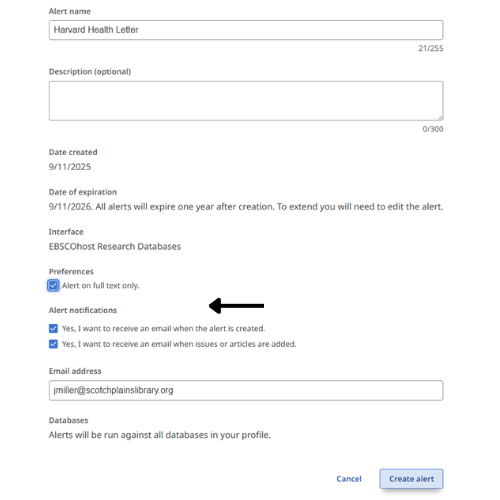
Make sure all three boxes are checked, then click Create Alert.
For help creating other types of alerts, please contact the Adult Services department at library@scotchplainslibrary.org, or call 908-322-5007, x204.